


GOGO! Blast
4.9242.00 Reviews
App Specs
- Version
- 1.3.5
- Updated On
- License
- Free
- Downloads
- 1,000,000+
- Developer
- Nebula Studio
- Categories
- Puzzle
- Platform
- Android
Screenshots
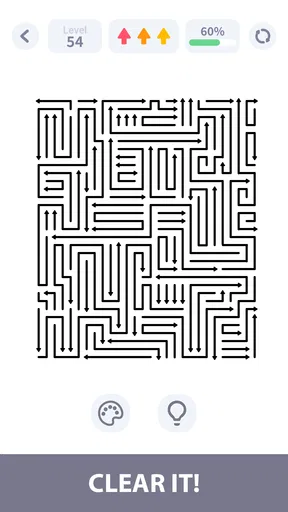
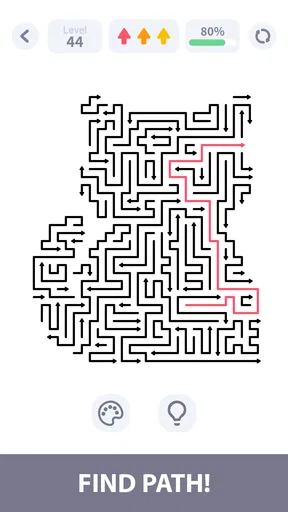
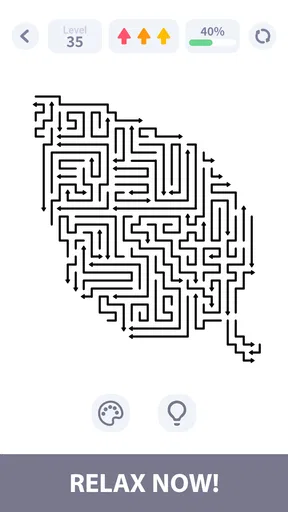
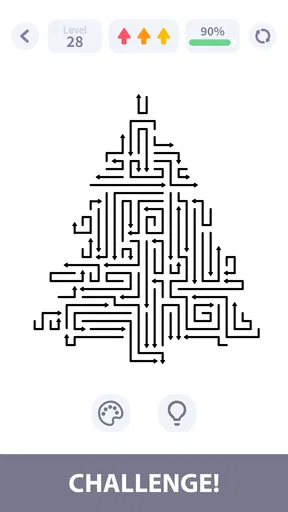
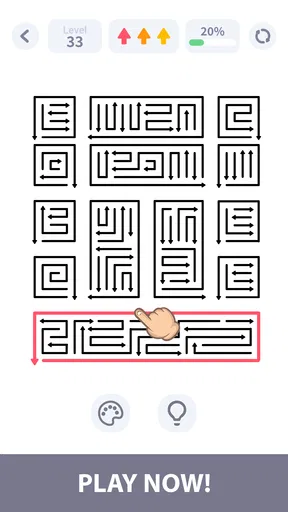
 Analysis by AppCompare
I’m drawn to puzzle games that make it easy to start but still ask me to pay attention, and GOGO! Blast is built around that simple appeal. It is a free puzzle game from Nebula Studio: the basic idea is to place taps carefully and clear the board. That makes it a plausible choice for a short break, though the game’s appeal depends on enjoying a focused, repeatable puzzle loop rather than expecting a large adventure or a story-led experience.
That focused format also makes it easy to test whether the game fits your habits. I’d try a few rounds when I have a calm minute, rather than judge it while distracted or in a hurry. The useful question is not just whether I can clear a board, but whether thinking through each tap feels satisfying enough that I want another attempt.
Getting started without turning a quick break into a chore
I focus on the small checks that make a first session feel easy rather than fussy: confirming the game installs and opens, then giving the board a calm first look before tapping. That helps separate setup trouble from the puzzle’s own learning curve. Next, I’ll look at ways to regain your bearings when a short session gets interrupted.
Where a puzzle session can feel less smooth
The central challenge is in the title’s premise: a tap is a decision, not just a way to move through a menu. If I rush, I can end up clearing space without making the board easier to finish. The most useful habit is to pause for a moment before each move and look for how a tap affects the remaining layout. That small change in pace fits the game’s relaxing framing while giving the puzzle more purpose.
This style is best when I can give a round a little attention. It may not suit moments when I am constantly switching between messages or trying to play one-handed while doing something else; interruptions can make it harder to remember what I was planning. For a waiting room or a quiet pause between tasks, though, the straightforward premise is a strength: I do not need to learn a complicated set of controls before deciding whether the puzzle is for me.
If a move seems to make the board worse, I would avoid tapping more quickly in the hope that the next action fixes it. Instead, I’d stop, inspect what remains, and treat the next tap as a deliberate choice. That is a practical way to keep a compact puzzle from becoming a string of guesses. It also gives the game a little more staying power than its simple description might suggest.
Setup checks before blaming the puzzle
On the basic compatibility side, the listed minimum operating-system requirement is 7.1, and the game is rated for Everyone. It is free to install, so trying it does not require a purchase decision up front. I would still check that my device has enough available storage and that the operating system is current enough before downloading; those are sensible first steps for any mobile game, not special requirements I would assume this one has.
Worth Reading Before You Choose

Flipboard Shows What News Apps Must Do Beyond the Feed

Switching to Android Auto Means Rethinking Your Driving Routine

Google Calendar Makes a Crowded Week Easier to Manage

Ludo King Makes the Most of the Minutes Between Plans

Baby Panda World Brings Quick Play to Modern Phones, but Its Game Library Feels Busy

ESPN’s Live Game View Makes Following Close Games Easier
If the game does not open or behaves oddly, I’d start with ordinary checks: close and reopen it, restart the device if needed, and confirm that the installation completed properly. If the issue persists, checking for an available update is a reasonable next step. The current version is 1.3.5, but version numbers alone do not tell me what changed, so I would not assume an update adds a particular feature or fixes a specific problem.
It is also worth separating two kinds of frustration. A puzzle can feel difficult because a tap has left fewer useful options, while a technical problem can prevent taps from registering or stop the game from loading. Taking a breath and trying a carefully chosen move helps with the first; restarting or checking the installation is more appropriate for the second. Keeping those cases distinct saves time and avoids treating every lost round as a device fault.
Recovering your rhythm after an interruption
A useful everyday scenario is opening the game while waiting for a coffee, then being interrupted by a call or a message. When I return, I would first look at the whole board rather than immediately repeating the action I was about to make. A short visual reset helps me rebuild the situation from what is actually there, instead of relying on a plan I may no longer remember clearly.
Another helpful approach is to use the first moments of a session to learn the board’s immediate logic rather than trying to clear it as fast as possible. Watch what changes after a tap, then use that observation to guide the next decision. This is especially useful if I am new to the game or returning after a few days away. It turns an uncertain opening into a small learning exercise without requiring a long tutorial or a complicated strategy system.
If a round goes poorly, I would not keep tapping just to reach the end. A deliberate reset in my attention—whether that means pausing briefly or starting another attempt when ready—is more useful than carrying irritation into the next move. I also would not assume that a particular control, undo option, or progress-saving behavior exists; the practical advice is simply to make each tap with the visible board in mind and to resume from the current state after interruptions.
For a more deliberate practice routine, I’d make one change at a time: first slow down, then notice which visible parts of the board change, and only then decide whether my approach helped. That keeps the puzzle from turning into random trial and error. It also makes a short session useful even when I do not finish, because I can leave with a clearer idea of how my choices affect the layout.
When the game may not be the cause
Sometimes a puzzle feels unfair when the real issue is that I am playing under distracting conditions. A small screen, glare, hurried taps, or a notification arriving at the wrong moment can make it harder to read a layout carefully. Before deciding the game is unresponsive or poorly designed, I’d try a calmer setting and make sure I can see the board clearly. If taps consistently fail even when I am focused, then closing and reopening the game is a sensible troubleshooting step.
Connectivity is another area where it helps not to guess. I would not assume a particular online requirement or promise that every part works offline. If something outside the puzzle itself appears unavailable, checking the device connection is a general troubleshooting measure, but it does not prove that a network problem is responsible. The key is to notice whether the core issue is a puzzle decision, an input problem, or a loading problem before choosing what to try next.
Likewise, a low score or an unsuccessful board does not by itself indicate a fault. The game asks for careful taps, so a move that looks harmless can leave the board in a less favorable state. I find it more useful to review what changed after the move than to assume the game ignored my intention. That distinction is particularly important in a minimalist puzzle, where the main interaction is also the main source of challenge.
How it compares with other quick puzzles
Compared with word games, GOGO! Blast asks me to think visually rather than search for vocabulary. Compared with match-style puzzles, its stated focus is on lining up taps and clearing a board, not on building a collection of characters or following a narrative. That makes it a better fit for someone who wants a compact puzzle task than for a player looking for varied modes, a long campaign, or social competition.
The trade-off is that a focused mechanic can become repetitive if I want each session to feel substantially different. I would choose a broader puzzle collection if I were specifically after several kinds of challenge, or a word puzzle if I wanted to play while listening closely to a conversation. But if I want one clear activity and enjoy thinking a step ahead, a single-mechanic game can be easier to pick up than a menu full of modes.
There is a practical difference between this kind of board puzzle and a game built around quick matching: here, I would prioritize reading what remains over reacting to a moving target. That makes it more comfortable when I want a quiet, self-paced task, but less suitable if I am after rapid visual stimulation. It also means I would not use it as background entertainment while my attention is elsewhere; the decision-making is the activity, not an optional extra.
The audience response is strong: it has a 4.9 average from around 37,000 ratings, and it has passed a million installs. Those figures suggest many players have found the experience worthwhile, but they do not guarantee that its particular rhythm will suit me. I would treat them as useful context, then judge the game by whether I enjoy planning taps and whether its pace works for my own breaks.
Who should give it a try
I’d recommend trying it if you like tidy, visual puzzles, prefer a free starting point, and are happy to focus on a small set of decisions rather than chase a story. Its Everyone age rating also makes it broadly approachable, although that does not tell me whether a particular child will enjoy the puzzle or how long they will want to play. For an adult looking to fill a short pause without learning a complicated control scheme, the premise is easy to understand.
It can also suit someone who prefers to play in brief bursts rather than commit to a long session. A short wait before an appointment, for example, is a reasonable time to see whether the board-based thinking clicks. I would still treat interruptions as a reason to recheck the layout when I return, not to continue from a half-remembered plan. That small adjustment makes the experience easier to pick up without expecting it to function like a passive time-filler.
I would skip it if I need a game that offers a lot of variety from one session to the next, or if I find repeated board-clearing puzzles dull. It is also not my first choice when I want a game that can be played entirely on autopilot: the satisfying part is choosing taps thoughtfully. People seeking a deep strategy game may prefer something with more systems to master, while people who want a very passive distraction may be better served by a simpler, less decision-heavy pastime.
My practical verdict
My recommendation is cautious but positive: GOGO! Blast is worth a try for players who want a focused, free puzzle and are comfortable slowing down to consider each move. The most useful way to approach it is to read the board before tapping, use a quiet moment when possible, and distinguish a tricky puzzle from a genuine loading or input issue. That keeps the experience closer to a relaxing pause than a frustrating rush.
Nebula Studio’s game is currently at version 1.3.5, and its appeal is easy to explain without dressing it up: it offers a direct puzzle task built around careful taps. I would keep it on my device if I enjoyed returning to that kind of challenge, but I would not recommend it as a substitute for a varied puzzle collection or a story-driven game. For the right player, the small, deliberate decisions are the point; for everyone else, that same narrow focus is the reason to look elsewhere.
Pros
- Quick rounds make it easy to play in short breaks.
- Simple tap controls are easy for new players to learn.
- Bright visuals make matching pieces easy to follow.
- Levels offer a steady sense of progress.
- A casual format suits players who prefer low-pressure puzzles.
Cons
- Later stages may feel repetitive if you play for long sessions.
- Some levels can depend on luck as well as planning.
- Limited moves can make difficult stages frustrating.
- Progress may slow when you run out of boosters or lives.
- Frequent prompts or ads may interrupt the flow of play.
FAQs for GOGO! Blast
What kind of game is GOGO! Blast?
GOGO! Blast is a casual mobile game built around quick, accessible play sessions. Before downloading, keep in mind that the exact gameplay modes and features can depend on the version available in your region. Check the store listing and screenshots to confirm the current content, supported devices, and any recent changes, especially if you are looking for a particular style of game or a deeper, story-driven experience.
Is GOGO! Blast free to download and play?
The app may be available to download without an upfront charge, but that does not necessarily mean every feature is free. Mobile games can include optional in-app purchases, advertisements, or paid items, and availability may differ by platform or region. Review the Google Play or App Store listing before installing, and check its in-app purchase information if you want to avoid unexpected charges.
Does GOGO! Blast require an internet connection?
Whether GOGO! Blast works offline may vary by version and by the features you want to use. Some games allow basic play without a connection but require internet access for updates, advertisements, account services, or online features. The store description may clarify connectivity requirements, but you can also test the game after installation. If offline play matters to you, avoid assuming that all modes will work without internet.
Is GOGO! Blast suitable for children?
Suitability depends on the game's content, its age rating, and how it handles advertising or purchases. Check the rating and content descriptors shown on your device's app store before downloading, and review the privacy information as well. If a child will play, consider enabling parental controls and purchase restrictions. Ratings can differ between regions and platforms, so use the listing for the version you plan to install.
How can I download GOGO! Blast safely, and what should I check first?
Download GOGO! Blast through the official Google Play Store or Apple App Store rather than an unfamiliar website. Before installing, confirm the app's name, developer, compatibility, permissions, latest update date, and user reviews. These details can help you spot outdated or unofficial listings and determine whether the app will work on your device. Availability and minimum system requirements may differ by country and operating-system version.


